1. Rolling Line
  2. News

Rolling Line News

New map, lighting and Index controls! v2.8


Today's update adds a range of smaller fixes and features, as well as a nice new map based on the Hanmer Springs hot pools in New Zealand! (much like the update that added the Puzzling World map).

You can play the new map from the main menu by starting a new game (and choosing the "Hanmer Springs" map).

The reason i chose this map is because it shows off the main new feature of this update, colored lights! (...and i also visited this place in real life last weekend). There is now a new lamp added to the game which can be painted with any normal painter to set its color.


This update also features many changes to how lights work.
There are now new optimizations surrounding lights in maps, and new settings to change how lights behave (you can find them in the "Custom track -> lighting" menu).

By default, lights now turn off automatically during the day and turn on at night! you can still manually turn lights on/off and they will stay this way. You can re-set lights to be automatic from the previously mentioned lighting menu.


The new map shows off how these colored lights can be used!

As part of the new map, this update also adds a few new props, like a larger umbrella, hand rails and hexagonal shapes:


The last part of this update is the addition of basic Valve Index controls.
Sadly since Rolling Line still has quite an old version of SteamVR, I can't make full use of the Index controllers, and the current control scheme is far from perfect.

As the game is now, the Valve Index controls are:


Trigger - use buttons & clone trains/props
A - pick up items & grip locomotion
B - menu

joystick up - teleport in large scale
joystick down - teleport in miniature scale

joystick up/down/left/right - user hover options on items (e.g. clone, delete, etc)
joystick left/right - rotate player (if enabled in the locomotion menu)

There will certainly be an update in the future that adds proper Index controller support, with finger tracking and support for the SteamVR input binding system.

As it is now, the tutorial does not show the index controls (only Oculus and Vive). Both the Index and Oculus touch controllers now have a better pointing angle too, something that ive been meaning to add for ages.

A few other changes to note:
  • Fixed bugs with the new speed acceleration system introduced in the previous update.
  • Added a setting to change whether the speed acceleration is used in miniature, always, or disabled completely.
  • Fixed large bugs with materials.
  • Lights now have a "turn on/off" option when hovering over them (Q on PC).

This update is quite a mixed bag, since im tying up lots of loose ends before moving on to much bigger updates!

There's lots of exciting stuff still to come!
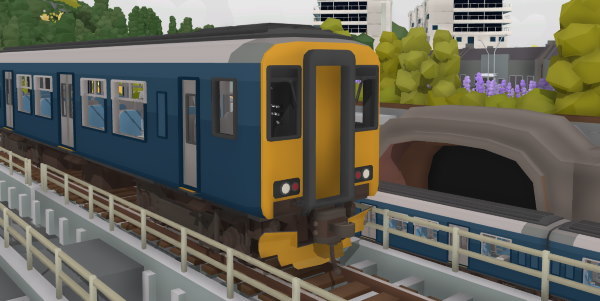
New train: Sprinter! v2.7


I've just gotten back from a trip to Sao Paulo, Brazil!
Hence why there was a bit of a big gap since the last update.
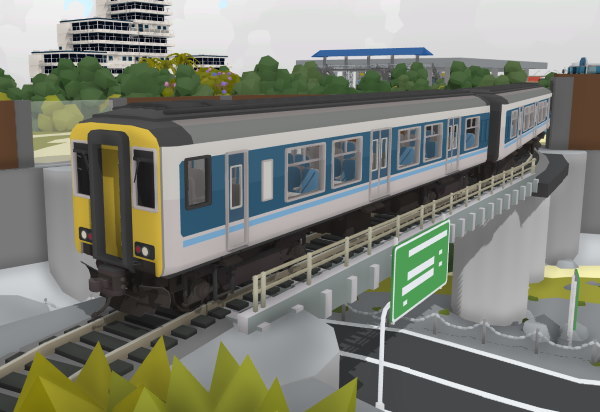
But now that I'm back I can release the Color comp winners chosen train, which is the British Rail Sprinter!

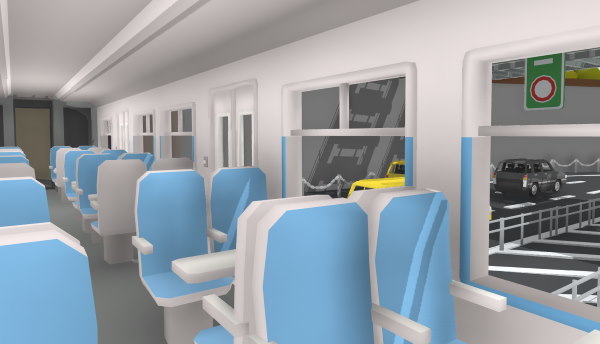
This is the first proper commuter train to be added to Rolling Line, and it features some basic interior detail, opening doors, a two-tone horn, and even interior lighting!


The Sprinter also features new engine audio and a dynamic "click-clack" sound when passing over track connections (which so far is unique to this locomotive).

Custom liveries will be coming for this new loco some time soon in a separate future update.


This update also features a great improvement to the speed system for trains!
There use to be a common problem where entering/exiting trains would cause the speed to change, and it was also very difficult to get trains to match each others speed. This has all been fixed!

With the new speed system you can set a trains speed, leave the locomotive, and it will continue to speed up/slow down to reach the desired speed.

Trains also now have a "acceleration" and "deceleration" value, so larger steam engines are slower to speed up and locomotives like the shunters have faster acceleration and handling.

These speed effects are only active IN MINIATURE, if you are driving trains with the controller in large scale then they will behave like real model trains and stop/start nice and snappy.

QuickMods now also have two properties you can change to adjust these new values called "accelerationSpeed" and "decelerationSpeed" (more information on the new quickMod features in the official steam guide). QuickMods can now also use the new Sprinter audio and new horns as well.

Enjoy!

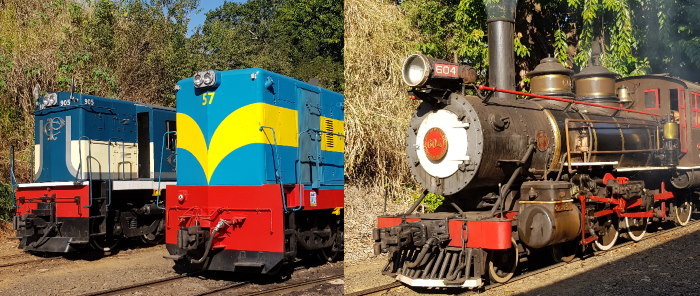
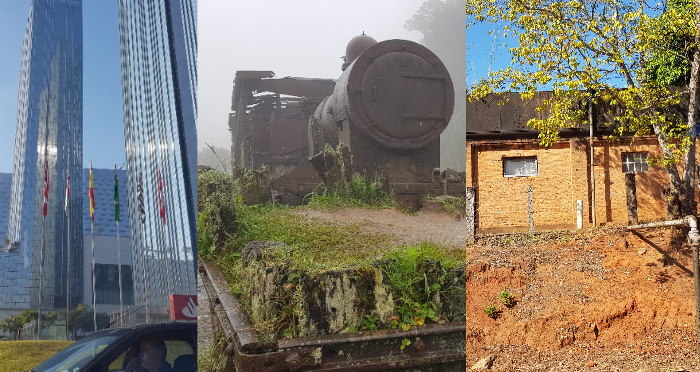
The next news post will likely be all about my plans for future content coming to Rolling Line based around my time spent in Brazil. I'll go into more detail about what this content is, but its going to involve new trains/props/locations and features! There's lots of big stuff on the way...

Lots of new props! v2.6


Today's update adds a TON of new props, including the Color Comp winners chosen props and building, as well as heaps of other new props and old props from the main layout.

First up, as shown in the header image the winners chosen building was a switch control tower! You can find this in the "buildings" category.

There were also 3 different types of props chosen by winners (3rd place + the two runner ups who also got to choose props). These ideas were:
  • a range of shop-front canopies and snappable tents (useful for food markets!)
  • a bunch of different street light designs
  • a few styles of lamp posts (with working lights!)
  • a new style of bridge! a classic steal beam bridge for both single and double tracks


The new lamp posts have a switch on them which you can use to turn them on! Please use this sparingly though as the game is not yet optimized for large numbers of lights, and using lots of lights will make your map more difficult to run for people.

There are also a bunch of minor props added (like car-yard shades and ad banners)


There is now also a dedicated drawer for bridges! and all of the bridges from the main layout have finally been brought into custom track! every bridge now uses snapping and multi-painting.


Lastly, the tunnel entrance props are now paintable! (NOT the tunnels that you paint on track, these are an entirely different system and don't support painting yet).


Hopefully everyone can make great use of all these new props, there's so many to choose from!
Next up I'll be making the winners train!

Enjoy!

Color Comp winners!


I hope everyone enjoyed the Color Comp! there were so many great maps made and picking the winners was a really tricky choice.

Everyone really made the most of the new custom colors, and there were so many creative ideas and builds thorughout all of these maps!

Here are the winners:

3rd place:
Garden Railroad Up and down the Monon


2nd place:
Paint shop


1st place:
Eisenstadt

Please keep in mind that this is a MASSIVE map, and will be very challenging to run on most computers! It can take a very long time to load!


There were also so many submissions that deserve recognition, and i highly recommend you go and have a look at as many of these maps as you can!

Runner ups:
Volcanic Paradise Satu-Rati Island


Thank you all so much for participating!

and I would be more than happy to host more competitions in the future (since this one went so well!)

The winners prizes (train, building, props) will be announced and added into the game soon!

Custom colors + competition! v2.5


Today's update is a great one!
Custom painter colors have been added to the game, and there is a week long layout building competition (with prizes) happening to celebrate.

You can now add new painters with custom Hue/Saturation/Value settings, and you can even copy-paste hex-code colors into the game.


You can also change the "hue random" and "lightness random" values for a painter, which will change the random hue-shift (used on props like foliage and cars) and how much of a brightness difference is used in this painter (this effect how the shading on props look).

Here is an example:


There are two different drawers for custom painters: "Custom paints" and "layout paints". layout paints are stored in the save file and cannot be removed, and the custom paints are your own local paints that can be freely removed.

Remember you can actually "edit" paints and change their values! If you edit a paint color used in your layout it will update on all of the props that use that same color! (you need to save & reload the save file for this to take effect though)

Also, there are now "new" flares on categories and drawers that contain new items added in recent updates:


There are also 3D letter and number props added to the game!
These behave just like normal props, so you can scale/paint/snap them. If you use height-scale (shift + scroll wheel) they will move sideways, which is perfect for putting spaces between letters.


This update also includes a bunch of fixes as usual:
  • Fixed level crossing audio not being tied to volume sliders
  • Fixed QuickMod wheels being swapped over when loading a save
  • Made big optimization to loading backup saves, since this was causing longer starting times when large numbers of backups are loaded
  • Fixed issue with a couple of colors batching incorrectly
  • Fixed quickMod and quickTerrain lists not getting reset when the game reloads (like when leaving and Easter egg scene)
  • Fixed pickupable items being broken in Easter egg scenes
  • Lowered the random pitch range of horns


Now, here's the info for the competition!


Some extra things to note:
  • There is no specific judging criteria for this competition, I will just be personally picking the overall most impressive layouts (creativity, detail and use of custom colors will be a big influence!)
  • You can build upon a layout you already started previously, but priority will be given to brand new layouts that make full use of the new custom colors.
  • If you are someone who makes QuickMods (or have your own 3D models you would love to see in the game) you have the option of instead having your quickMod added officially into the game instead if you choose.
  • I'll get into contact with the winners directly and discuss their choices, as there are various limitations on what can be added into the game (e.g. I would prefer to not add a train that is already planned for a future update, or a prop that requires additional functionality and features). This can be discussed further when the winners are chosen.


Remember to tick the "Color Comp entry" button when you upload your layout to the Steam Workshop!


This is the first time i've ever hosted a competition for Rolling Line, and if this goes well i would be more than happy to do more in the future!

I can't wait to see what kind of layouts you can make with complete freedom of colors!