1. Albion Online
  2. News

Albion Online News

Dev Talk: Hellgate Rework


The Call to Arms update arrives March 17, and along with other major features like the Faction Warfare rework, this update includes a complete re-envisioning of Hellgates. In our newest Dev Talk, Game and Level Designer Dominik Müller discusses the changes coming to Hellgates and some of the goals behind them.

https://www.youtube.com/watch?v=basSk2iTXDY
Prefer a written summary? Then read on...
[h3]A Core Albion Feature[/h3]
Hellgates have been around since the early days of the game, and exemplify one of Albion’s core concepts: tough PvP with high risk and high rewards. To bring Hellgates up to date in terms of mechanics and balancing while opening them up to more players, we did the following:
  • Made Hellgate PvE more entertaining with a much greater variety of mobs
  • Added a huge variety of map layouts that support different playstyles
  • Implemented a matchmaking system to ensure worthy opponents
  • Added a new lava mechanic that ensures fights eventually happen
  • Created a whole new 10v10 Hellgate mode where large groups can fight for even bigger rewards
[h3]How They Work[/h3]
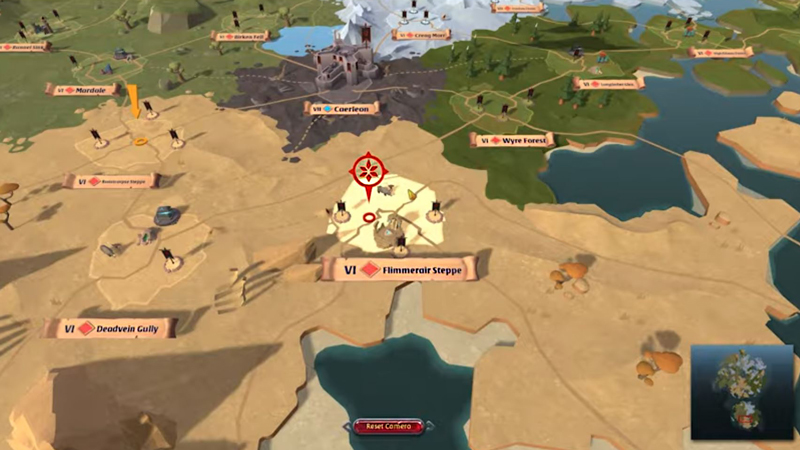
Previously, entering a Hellgate required killing a demon at a preset, static location. With the new system, Hellgates are accessed via Hellgate Maps, which can be crafted at the Artifact Foundry, looted from mobs, or bought. Like Dungeon Maps, they only work in zones appropriate to the map type; the Hellgate then spawns several zones away to maintain the danger of reaching the entrance.

Entering a Hellgate requires the following:
  • Sufficient base item power, a new stat that only measures your gear's tier, quality, and the enchantment while ignoring Mastery and Specialization levels, to ensure you no longer encounter players in overcharged 4.1 gear
  • A party size matching the Hellgate (2, 5, or 10 players respectively)
  • Channelling to enter is no longer interrupted by damage, so preventing someone from entering is more challenging
[h3]New Layouts and Monsters[/h3]
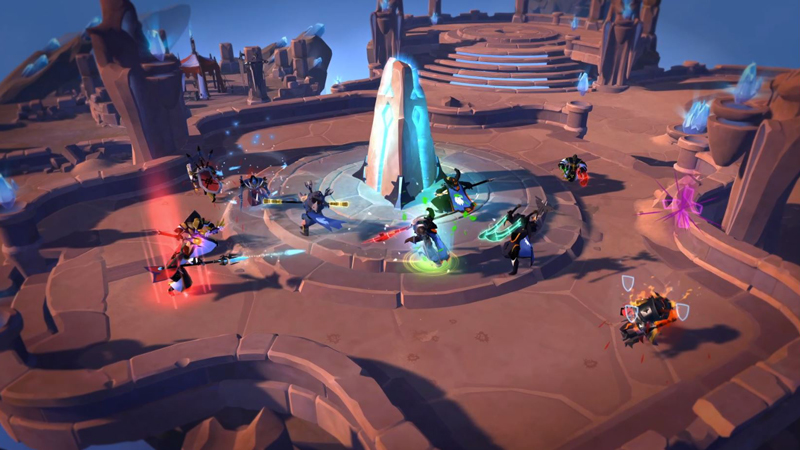
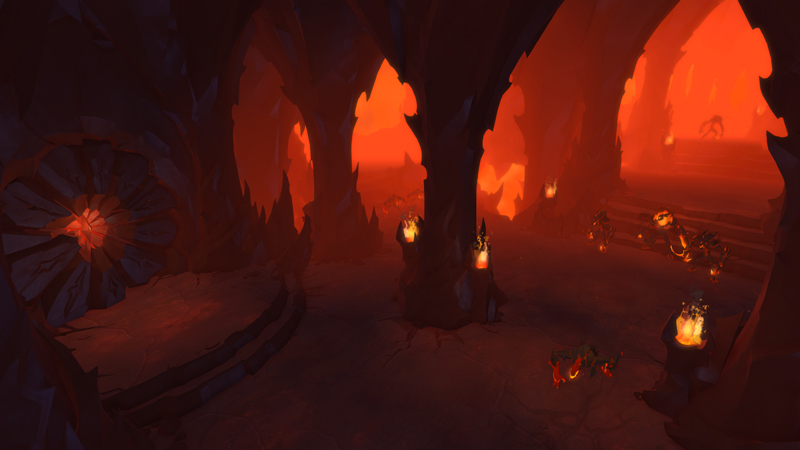
Once inside, you'll encounter one of ten completely new Hellgate layouts at random. These add a variety of different features: some have chokes, others have varying altitudes, and yet others are vast and open.

Matchmaking is based on the average Hellgate Infamy of your party (see below). You have a chance of joining another party's Hellgate instantly; if no suitable opponent is found, you will enter your own Hellgate. The matchmaking criteria grow wider with time, until eventually another team enters your Hellgate or you enter theirs.

To complete a Hellgate, you can kill mobs until an Infamy threshold is reached. Depending on which Hellgate layout you are in, you will find different mobs and minibosses, and occasionally a boss with huge rewards. If another party enters the Hellgate, all mobs (other than those guarding chests or shrines) will disappear.

[h3]Lava[/h3]
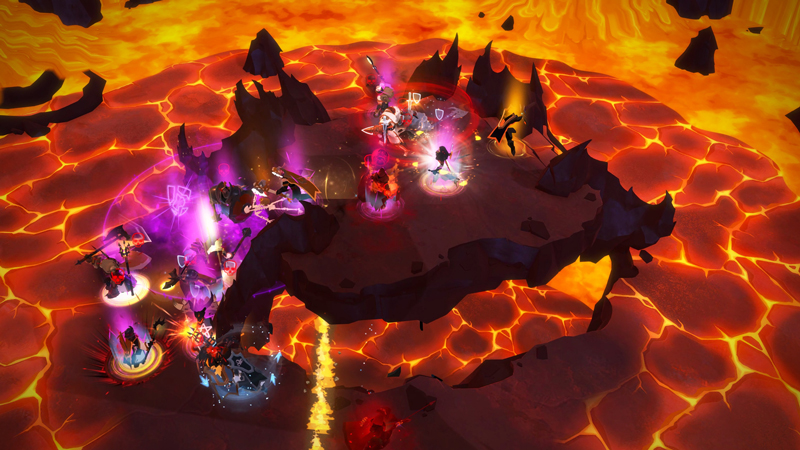
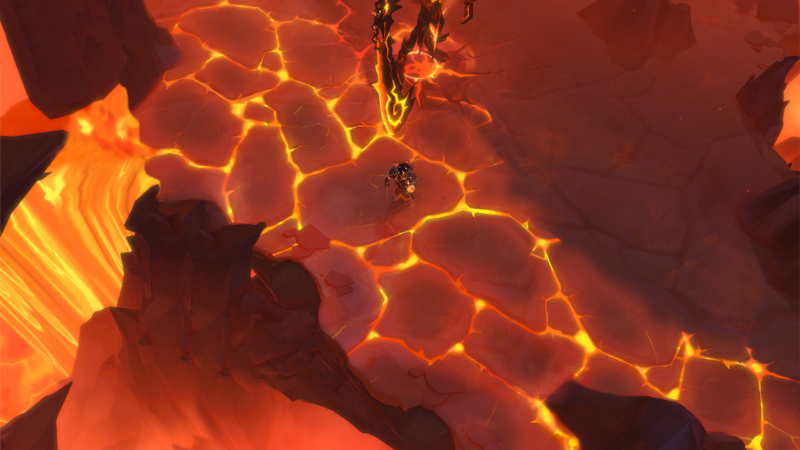
Once two teams are in the same map, a new rising lava mechanic will occur:
  • After sufficient time passes, lava appears at the edge of the map and moves towards the center
  • The first part of the lava is a warning zone that causes less damage
  • The second part of the lava causes drastically more damage
  • To avoid a stun/CC combo meta, players will become immune to crowd control effects once they have been in the lava for a short time
  • The lava pauses after enclosing a final area at the center
  • If more time passes without a winner, the lava starts encroaching again until only one party is left
  • Defeating an enemy team causes the lava to disappear and completes the Hellgate, allowing your party to continue onward or return to the surface
[h3]Completing a Hellgate[/h3]
After killing enough demons or defeating an opposing party, your Hellgate will be complete and a marker will appear on your minimap. If you kill an enemy party, you will be rewarded with an additional chest. Here you will find an exit portal and another entry gate. The portal will bring you back to the surface, while the gate lets you chain into a new Hellgate if you meet the same IP and group size requirements as before.

[h3]Infamy and IP Caps[/h3]
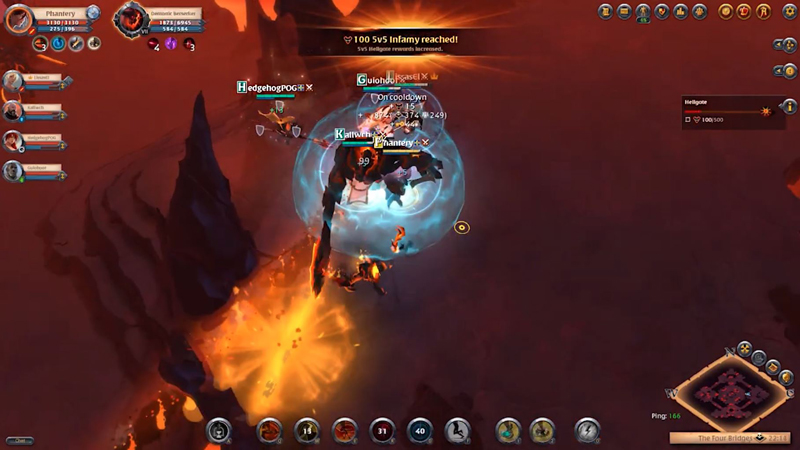
Infamy works similarly to Corrupted Dungeons but is independent, with separate Infamy rankings for 2v2, 5v5, and 10v10 Hellgates:
  • The higher your Infamy, the better the loot in the corresponding Hellgate type and the higher Infamy opponents you will encounter
  • As mentioned earlier, the longer you remain unmatched in a Hellgate, the wider the matchmaking criteria become until you eventually find a match
  • Killing players steals a portion of their Infamy and adds it to yours (and vice versa)

(Note: with IP caps and requirements, we tried to strike a balance between keeping Hellgates competitive and making them more inclusive; we will keep a close eye on player feedback and adjust these numbers if needed.)

That's all for today - we hope you're as excited about the new Hellgates as we are, and that you are looking forward to testing yourself against your fellow adventurers when the Call to Arms update goes live on March 17. Thanks for watching!
Animated Vegetation: A Closer Look


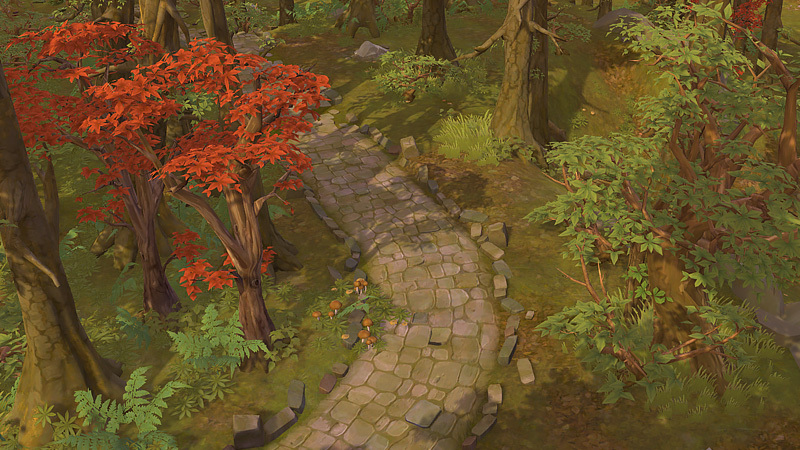
The Call to Arms update arrives on March 17, bringing numerous major features and quality-of-life improvements. Among the latter is animated vegetation, which brings Albion's flowers, grass, bushes and trees to life across all five biomes. We spoke with Art Director Marcus Koch and FX Artist John Schroeter about this new feature.

What was the goal of this visual upgrade to Albion's plant life?

[video]//assets.albiononline.com/uploads/media/default/media/e83b7bdd39776dd3045739bdb275a806add1358c.mp4[/video]

These improvements will give players a much greater level of immersion while exploring the world. Traveling through a living, breathing environment feels far more natural and rewarding than experiencing a static one, and in many cases the visual elements of the biomes did not quite live up to what the audio was suggesting.

The effect is especially striking in vegetation-heavy biomes such as forests. What were some of the steps you took to make the movement of trees, bushes, and grass more lifelike?

[video]//assets.albiononline.com/uploads/media/default/media/2fe72799dafbe09fba28c4a63ff4236cd1f54c2e.mp4[/video]

We realized that having everything move the same amount would distract the players' attention, especially if huge trees (which are closer to the camera) were shaking too much. That's why vegetation closer to the ground, such as grass, moves more forcefully than the treetops do. 

Ultimately this helps keep the focus on the player character's level, where the game's action takes place. 

For more details of everything coming with Call to Arms, check out the update page.

Season 12 Starts Saturday


Saturday marks the beginning of Albion's twelfth Guild Season, with increased Season Points for open-world objectives, updated World Boss zones, an added 20v20 Crystal League level, and an incredible new battle mount, the Juggernaut, as a season reward.
[h3]New Season Rewards[/h3]
Guilds that reach a high enough rank can claim fantastic rewards including an avatar, avatar ring, and the mighty Juggernaut mount. This mount will be awarded to guilds who reach Silver Rank or higher during Season 12, with increasingly higher stats and epic appearance with each successive tier.

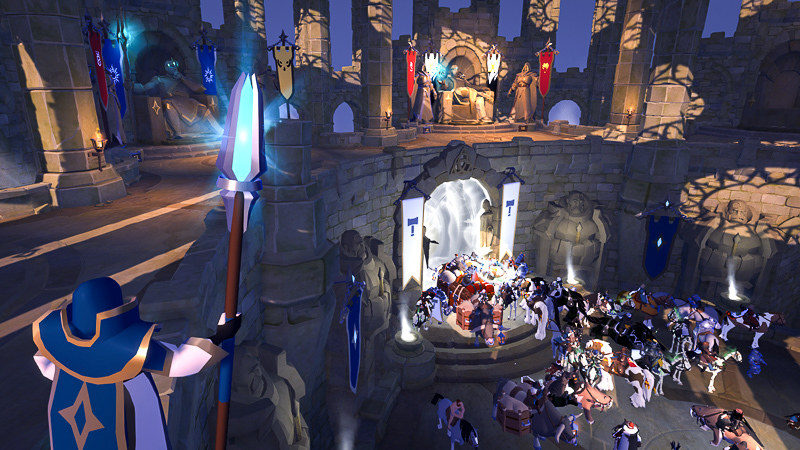
The winning guild will receive a statue among the past Guild Season winners in Conquerors' Hall, and qualifying guilds will also receive a Fame Bonus and furniture items. For full Season Rewards details, see this article.


[h3]Season 12 Changes[/h3]
Season 12 brings big changes, including:
  • Increased Season Points for Territories, Castles, and Castle Outposts
  • Smart Cluster Queue and Hideout Defense changes
  • Updated buffs at World Boss zones and static dungeons
  • A new 20v20 Crystal League level

For full details of these changes, see this forum post.


[h3]Watch the Season Kickoff Live[/h3]
The action kicks off on AlbionTV this Saturday, March 13 at 17:30 UTC, when hosts Shozenwon, Lewpac and Bogul bring you full coverage of Invasion Day.

At 18:00 UTC, guilds can claim territories and launch attacks. Those in the North and South American time zones can also tune in for the second round of territory resets on Sunday, March 14 at 00:30 UTC with hosts Shozenwon, Robinhoodrs and Bogul covering the next round of claimable territories starting at 01:00 UTC. All open-world fights are broadcast live with a 15-minute delay.

For the complete Season 12 schedule, check out this forum post.

An Introduction to Guild Seasons


Being a member of a guild is one of the most rewarding parts of Albion Online. Grouping up, engaging in warfare, and conquering your own piece of Albion is all a part of the rich tapestry of the game. In this video, we'll cover all the basics of Guild Seasons, or you can read on for a summary.

https://www.youtube.com/watch?v=1LKXoCgPxOY
[h3]The Basics[/h3]
In Albion, warfare between guilds takes place during Guild Seasons. While a season is active, guilds can earn points to compete on the season leaderboard, allowing them to measure themselves against other guilds and compete for a variety of different rewards. These rewards range from basic avatars and avatar rings all the way to Crystal Battle Mounts, 90-day Fame buffs, and even a statue honoring your guild in town!

The ranking tiers are as follows:
  • Crystal: 250,000 Season Points
  • Gold: 80,000 Season Points
  • Silver: 25,000 Season Points
  • Bronze: 7,500 Season Points
  • Iron: 1,000 Season Points

There are set rewards for each rank, as well as special rewards for the top 5 guilds of the season. (You can check out the specific rewards here).

Note: In order to receive the rewards a guild has earned in a season, you must be a member of the guild for 75% of the season and also have Premium active when the season ends.


[h3]Season Structure[/h3]
Seasons consist of three sections, starting with and separated by Invasion Days. On Invasion Days, all Outlands territories lose their owners and are available to claim at one of two times based on their primetimes:
  • EU Territories (12,15,18 and 21 UTC) are available to claim at 18:00 UTC on Saturday
  • NA Territories (00, 03 and 05 UTC) are available to claim at 01:00 UTC on Sunday

There are two further Invasion Days each season, and the final portion of the season rewards double points for all open world activities (territories, castles, etc).


[h3]Earning Points For Your Guild[/h3]
Solo Players

Even alone, you can help your guild progress in the rankings. As you earn keys towards your Adventurer’s Challenge, these will also credit your Guild Challenge (excluding the 50,000 point daily bonus). Guild Challenges have 100 increasingly difficult levels with each one awarding Season Points.

Small Groups
  • Mage Raids: Raiding territories not owned by your alliance and killing Siphoning Mages steals Season Points from the guild that owns the territory. BEWARE: the guild will be notified the mages are under and attack and may come to defend them. The mages themselves also have a number of combat skills that you will need to be prepared for. Siphoning Mages generate more points the closer they are to the center of the Outlands.
  • PvE: World Bosses (in zones marked on the map) and major bosses in Outlands static dungeons also give Season Points. As with mages and territories, the bosses nearer the center of the Outlands are worth more.
  • Castle Outposts: Outlands Castle Outposts generate points every three hours for the guild that owns them. Bring demolition hammers, break down the doors and defeat the guards to claim them for your own!
Large Groups
  • Large forces can conquer territories and castles to gain Season Points.
  • Territories: see next section.
  • Castles: these major objectives score points 4 times per day (0:00, 6:00, 12:00, and 18:00 UTC). The guild that owns the castle will receive points when the timer hits. Castles nearer the center of the Outlands are worth more points than those on the outer edge.

[h3]Territories and Season Points[/h3]
Outlands territories have a number of mechanics to generate season points for both the guild holding them and hostile forces:
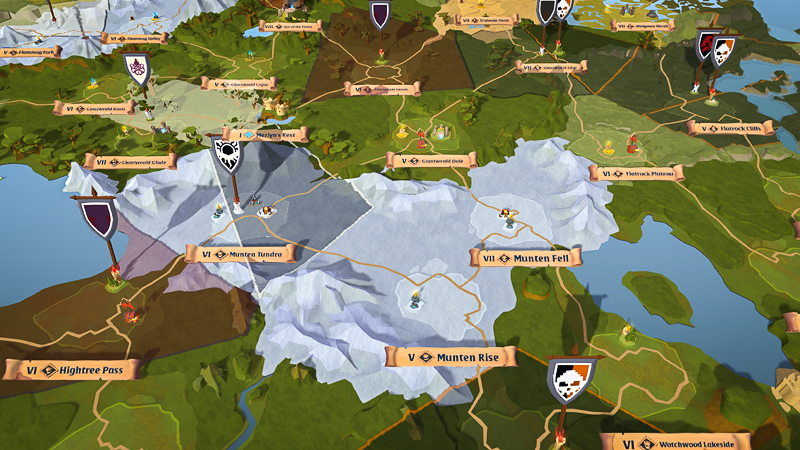
  • The primary mechanic is the Siphoning Mages that spawn on a tower. Up to 4 can be spawned at once and they will continuously generate Season Points (current/max points visible via the worldmap).
  • If 4 mages are kept alive for a full 24 hour period, the guild earns full points. If enemies raid and kill mages, less points will be earned.
  • Mages can also be made to generate more points and made more powerful by leveling the tower up through Crystal League matches. Points are paid out to the owning guild at the beginning of the territory's timer.
  • As you move towards the center of the Outlands, towers become more valuable but also have an additional mechanic known as points storage. This only applies to territories above a certain value (distance from the outer ring).
  • When these territories earn points, the listed percentage (ranging from 10-35%) is put into storage instead of paid out to the guild.
  • Stored points are paid in full to the guild owning the territory on the next invasion day or season end. If the territory is conquered by another guild before this happens, the new owner immediately receives 10% of points stored, and another 10% are lost.

[h3]Crystal League Matches and Season Points[/h3]
Guilds can earn Season Points via 5v5 or 20v20 Crystal League Battles. The higher the match level, the more points it gives. The total available points are split between the winners and losers based on final score, with the winning team receiving all points if they win by a large enough margin.

The following points are available per player, per match for Crystal League matches:

5v5 Matches:
  • Level 1: 1 Point
  • Level 2: 5 Points
  • Level 3: 15 Points
  • Level 4: 40 Points
  • Level 5: 100 Points
  • Level 6: 250 Points
  • Level 7: 600 Points
  • Level 8: 1600 Points
  • Level 9: 5000 Points
20v20 Matches:
  • Level 1: 5 Points
  • Level 2: 10 Points
  • Level 3: 15 Points
  • Level 4: 60 Points
  • Level 5: 200 Points
  • Level 6: 750 Points
  • Level 7: 2500 Points

Because the points are on a per-player basis, a team does not need to consist of one guild's members. Mixed teams can score points for their individual guilds, but uniting under one banner can generate a lot of points for that guild. To prevent guilds from simply amassing Crystal League teams and ignoring open-world content, there is a maximum limit to the Crystal League points a guild can earn in a day (for both 5v5 and 20v20).


[h3]Alliances and Season Points[/h3]
Being allied with other guilds can bring additional strength and support but comes with some downsides.
  • Firstly, you will have to split a share of the season points you earn with the rest of your allies: 50% of the points goes to the guild that scored them, the other 50% is split between ALL members of the alliance, INCLUDING the guild that scored them.
    • Example 1: Guild A is allied only with Guild B. If Guild A earns 100 points, they get 75 (50 for their own half, 25 for their share of the alliance split). Guild B receives 25 points.
    • Example 2: Guild A is allied with Guilds B, C, D and E. If Guild A earns 100 points, they get 60 (50 for their own half, 10 for their share of the alliance split). Guilds B, C, D and E get 10 points each.
  • There are also penalties for Alliances who own more than 10 territories: they will lose some Siphoned Energy (but not Season Points), and even start to lose a percentage of Fame and Silver gain if they pass 20 territories.

Hopefully this guide has given you a solid overview of the mechanics of guild seasons, and some ideas as to how you can score points for your guild. Thanks for watching!

Dev Talk: Loadouts


The Call to Arms update arrives March 17, and in addition to major reworks of Faction Warfare and Hellgates, also brings big quality-of-life improvements. Foremost among these is the new Loadouts system. In our newest Dev Talk, UI Designer Moritz Bokelmann gives further details of this feature. (If you missed our earlier overview of the update, you can watch it here).

https://www.youtube.com/watch?v=rn-feOUbBug
Prefer a written summary? Then read on...

Albion's “You are what you wear” system gives incredible freedom but also comes with some drawbacks. Getting killed and having to run back to a bank or chest to regear is time-consuming and keeps you out of the action, and even if you’re not into PvP, switching gear for different activities can be a hassle. To address this, we've introduced Loadouts.
[h3]The Basics[/h3]
  • Loadouts are saved sets of equipment, spells, and additional inventory items
  • Loadouts can be quickly equipped from banks, chests and battlevaults
  • Loadouts can be shared with other players
  • Each Loadout includes precise user-defined rules that allow for flexibility in the overall selection
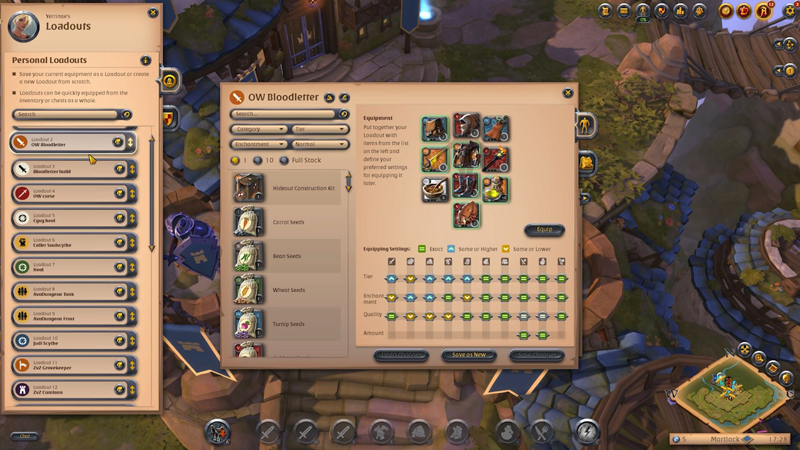
  • Loadouts are accessed via a new Loadouts UI window in the Player Menu (click playername or Hotkey “L”)
  • 30 total slots are available and the list can be searched and reordered freely

[h3]Creating Loadouts[/h3]
  • To create a Loadout, click any available slot
  • Select a name, color and icon
  • Choose to start either from currently equipped gear or completely from scratch
  • If you use your current gear, all current spell selections will also be saved
  • You can then freely edit the items in your Loadout, update spells, and add additional items
  • The item list on the left contains all tradeable items and can be filtered and searched as in the Marketplace

The Loadout window also provides a preview of the stats and estimated market cost in the small flyout on the right side of the UI.
[h3]Setting Rules and Equipping[/h3]
Once you are happy with the Loadout, you can set rules for how flexible the system can be when choosing which items to equip. You have three options:
  • Exact: all parameters must be met exactly
  • Same or Higher: tries to match exactly, then allows higher tiers, enchantments, etc.
  • Same or Lower: tries to match exactly, then allows lower tiers, enchantments, etc.
  • These are essentially filter options applied when a bank or chest is searched
  • Loadouts can be equipped from any bank, chest, or battlevault you have access to, provided it contains any matching items
  • To equip, open the container, choose a Loadout, and press "Equip"
[h3]Sharing Loadouts[/h3]
Loadouts can be shared via chat or ingame mail:
  • Click “Share Loadout” within main Loadout view
  • Select sharing option
  • Add any additional text desired
  • Click to create a simplified version of the Loadout that can be saved into other players' lists

[h3]Guild Loadouts[/h3]
Guilds also have access to dedicated Guild Loadouts, which are similar to personal Loadouts with a few differences:
  • Guilds have access to 100 slots for Loadouts
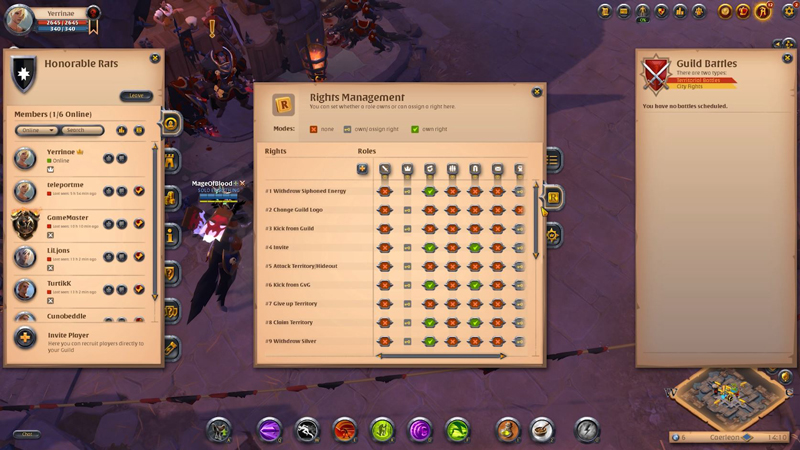
  • Creating and editing requires “Manage Guild Loadouts” access right
  • Guild Loadouts behave like a guild's library of preferred sets for various activities
  • Using Guild Loadouts requires saving them into your personal Loadout list
[h3]Use Cases[/h3]
Case 1: High-level PvP (ZvZs, Crystal League, etc.)

You can create a Loadout with the absolute best items in the game via filtering the item list. Simply set everything to the highest available tier, enchantment level and quality, and potentially add Siphoned Energy for overcharging. You can then set all rules to “Same or lower”, effectively creating a master-class set and telling the system to choose the closest possible items.

Case 2: Lower-level PvP/PvE (Arena, Expeditions, etc.)
You could build these sets to match the required item power and set all rules to “Same or higher”, which would do the exact opposite of Case 1 above: guarantee that you equip the most basic set of items that still meets the minimum requirements.

Case 3: Hybrid / item-centered

Perhaps you want a cheap tier 4 set, but with a tier 6 weapon to access all available spells. This is possible by simply experimenting and finding the correct Loadout setup for your needs.

Case 4: Non-combat activities (crafting, farming, etc.)
A perfect example of this is a crafter setup that only contains a mount, bag, and lots of salads. Then just all the materials you need for your daily crafting activities into the Loadout inventory.

These are just a few examples of things you can do with Loadouts, and we are very curious to see what other ideas you come up with.


[h3]Additional Features: Coming Soon[/h3]
We are working hard to add Loadouts to the Marketplace, so you can directly purchase full sets, and hope to add this feature soon after the launch of Call to Arms. We are also looking into adapting the Character Builder on the Albion website to make global sharing of Loadouts much easier. And of course we are very interested in the ideas that you, the players, have for this feature, so feel free to reach out and share your thoughts.

Thanks for watching!