1. Saleblazers
  2. News

Saleblazers News

Hotfix v0.14.9.74

Hello shopkeepers!

This is a minor hotfix to resolve some bugs and stabilize a few issues.

There was a compatibility issue with dedicated servers on this patch which required us to move the update to the experimental branch temporarily. Those issues have been fixed and this patch is now live for everyone again as of 05/27!

Thank you to everyone who reported these things and helped give us additional information to get them fixed.

This patch should be live again on the main branch once we resolve this dedicated server issue.

See you around the Island!
v0.14.9.74 Patch Notes


[h2]➡️ Changes[/h2]
  • The continue button will now load your latest autosave if it is more recent than your last hard save
  • Reduced the spawn rate of ammunition from lootable containers and enemy death boxes to help with the balance of using guns
  • Reduced the number of pellets fired from the trench shotgun from 6 to 5
  • Slightly reduced the bullet damage for the Thompson
  • Temporarily removed a waterfall in the canyon while we work on some visual overhauls
  • Reduced the volume of the armor shatter SFX
  • Reduced the volume of the sawmill SFX
  • Adjusted the item pickup SFX
  • Updated the claymore animations
  • Added some new open world music in the morning and evening
  • Increased the size of the autosaving popup message on the bottom of the screen


[h2]⚙️ Optimizations[/h2]
  • Optimized the sawmill crafting VFX


[h2]🛠️ General Fixes[/h2]
  • Fixed clients not gaining EXP properly from killing enemies
  • Fixed the Friendly Fire option not being visible in the lobby settings for some players
  • Fixed an issue causing some players to be one-shot by enemies when playing as a client in another player's lobby
  • Fixed gathering employees sometimes not working properly when the player was inside or near their store
  • Fixed a menu UI issue that could happen when leaving a player lobby, joining a dedicated server, and then leaving that server
  • The leather shirt item will now ragdoll properly on dying characters that wear it. No more stretching!
  • Fixed an issue causing gatherers not to properly respect gather times when simulating while the player is not there
  • Fixed an issue that could cause items to fall out of crates
  • Fixed an issue where players could be attacked in dialogue after teleporting
  • Fixed some clothing items losing their material when loaded inside of a display
  • Lighting should no longer interpolate after sleeping. It should load at the correct orientation
  • Fixed the sawmill from duplicating it's SFX when crafting
  • Fixed the world save text being cutoff on some resolutions in the exit menu
  • Fixed the skill node pop up unlock text not updating properly
  • Adjusted some more UI to better respect the new UI scaling settings
  • Fixed the gesture wheel not working properly
  • Removed some fiber bushes from the combined meshes in the farm
  • Fixed the "Too Far" building UI notification sometimes showing up improperly when building
  • You can no longer upload external files when reporting an issue on Steam Deck to fulfill Steam Deck requirements. You can still have the report automatically upload your save file
  • The post process effect for radiation should no longer flicker when moving very quickly
  • Fixed various disconnect exceptions


[h2]🖥️ Dedicated Server[/h2]
  • Fixed the lobby settings command not showing up on the server console properly
  • Fixed the difficulty not saving properly when loading from a save file in non-headless mode
  • The server now properly releases the log files for real-time reading
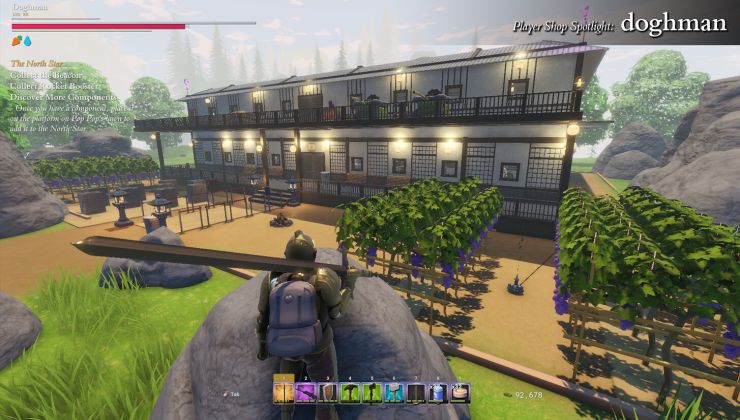
Saleblazers mixes shopkeeping and co-op survival with a fresh patch adding UI scaling for Steam Deck

Saleblazers is an Early Access survival game that seems to be a little more on the unique side, with it adding in a shopkeeper element and now it should play better on Steam Deck and perhaps from your sofa on a living room PC too.

Read the full article here: https://www.gamingonlinux.com/2025/05/saleblazers-mixes-shopkeeping-and-co-op-survival-with-a-fresh-patch-adding-ui-scaling-for-steam-deck/

UI Scaling Settings - Small Update v0.14.9.73

Hello shopkeepers!

This is a minor update to fix a few bugs and adjust some settings based on player feedback. It also introduces a UI scaling setting for those of you playing on Steam Deck or other uniquely sized displays.

We hope this helps improve your experience on the Island, especially on Steam Deck or a TV.

[h2]UI Scale Setting[/h2]


You can now change your UI scaling in the Visuals section of the in-game Settings.

This will let you change the size of the text, inventory, and other UI elements from this:

to something more readable like this:

This is helpful for playing on the Steam Deck or on a TV, which has become much more popular following our controller support update.

The slider goes the other way, too. So, if you have a very high-resolution monitor and you want some small, more minimalist UI, this should also cover you.


v0.14.9.73 Patch Notes


[h2]➡️ Changes[/h2]
  • Added new UI scaling setting in the Visuals section
  • Steam Deck now defaults to a higher UI scaling setting
  • Updated some UI elements to visually categorize them more appropriately
  • Reduced footstep puff VFX size
  • Increased the amount of Quantum Copper spawned by the container in the crater


[h2]⚙️ Optimizations[/h2]
  • Optimized community hub dweller spawns
  • Slightly reduced the maximum number of dwellers that can spawn in all community hub areas to improve performance and make each villager more unique


[h2]🛠️ General Fixes[/h2]
  • Fixed an issue where items stolen from Pop Pop's House were not saved properly
  • Fixed an issue where changing your look at the barber and immediately quitting could cause your character data not to save properly
  • Fixed items in backpacks sometimes not saving properly
  • Added another potential fix to users getting stuck at the register after checking out a customer
  • Corrected some UI not displaying the correct key glyph to exit
  • Fixed a case where attempting to pick up a non-pickupable container with re-randomizing loot would cause the loot to stop respawning
  • Fixed wind SFX playing at lower speeds than intended based on the FPS of the player
  • Fixed research and policy node info pop-ups being offset on some resolutions
  • Fixed an issue that could cause players on controller not to be able to use NPC shops after their first purchase
  • Fixed an issue that could cause SFX to crackle
  • Fixed the pickup item SFX playing more than intended
  • Fixed shop music not playing after players being attacked in the shop
  • Fixed NPC ragdolls sometimes clipping with the ground
  • Fixed the anchoring of some UI notifications on ultra-wide aspect ratios
  • Fixed another gulper variant that could scale up its health and damage every time it respawned
  • Adjusted hint text to remove input-specific instructions
  • Fixed various UI cut-off and clipping issues on 16:10 aspect ratios
  • Steam Deck users can now properly access the rename shop UI
  • Fixed a case where taking off an accessory and immediately saving and loading would keep the accessory on your character visually
  • Adjusted the resolution settings UI so it should still be accessible if it gets into a state where the game loads at a very low resolution
  • The Steam Deck should now properly launch in 1280x800 when launching for the first time
    If you played on Steam Deck before this, consider checking your resolution settings
  • Fixed various localization issues
  • Fixed various disconnect exceptions


[h2]🖥️ Dedicated Server[/h2]
  • Fixed some cases where lobby settings were not applied properly
  • Fixed an issue that could cause dedicated servers to crash when 8+ players were loading different areas at once
  • General dedicated server log files now flush more frequently while the server is running


[h3]📜 Known Issues[/h3]
  • When joining a dedicated server for the first time, there is a chance that the customer AI will stop navigating the store. Leaving the server and rejoining should fix this as of right now.

Blood Settings and Veteran Shopkeeper Difficulty - Small Update v0.14.9.72

Hello shopkeepers!

This is a small update to fix a few bugs and adjust some settings based on player feedback.

[h2]New Difficulty[/h2]
Many of you have told us you liked the Hardcore Airstrafer difficulty introduced in 14.9.5, which we're happy to hear. Some players have also said that they wish for some more difficulty options between Easy and Normal and between Hard and Hardcore Airstrafer.

So, in today's update, we're introducing the Veteran Shopkeeper difficulty.


This difficulty lands somewhere between Hard and Hardcore Airstrafer, where enemies will be pretty challenging, research is expensive, but you still have access to teleportation.


We also slightly tuned down the Normal and Hard difficulties to better fill the gap between Easy and the new Veteran Shopkeeper difficulty.

If you already have your difficulty configured, it won't change, even on Normal or Hard. But if you change your difficulty preset it will use the new values. If you liked the Normal difficulty previously, the new Hard difficulty will be around what feels comfortable to you.

Remember, you can always configure a custom difficulty if you would like to from the lobby settings menu at any time.

[h2]Blood Settings[/h2]
This is a feature many of you have requested for some time so you can play with or around younger shopkeepers, or just from personal preference.


You can toggle the Show Blood setting in the gameplay settings.


With this setting disabled, blood VFX are hidden, and the blood splatters are replaced with footprints from the scuttle of your fight.


[h2]Improved Rune Race Checkpoint Visuals[/h2]
We got some feedback that some of the rune races could be frustrating because the race checkpoints were too hard to see.
I went ahead and updated the VFX for these checkpoints to make them a little friendlier to find and run through.


I also improved the collision detection for these checkpoints while I was here, so they should feel even more fair and responsive.

If you like the rune races and the new checkpoints, please let me know!

v0.14.9.72 Patch Notes


[h2]➡️ Changes[/h2]
  • Added Show Blood setting to gameplay settings that will hide blood VFX and replace blood messes with footprint messes
  • Added a new difficulty setting: Veteran Shopkeeper that is harder than Normal and Hard but less punishing than Hardcore Airstrafer
  • Adjusted the difficulty of the Normal and Hard difficulties to be a little more forgiving
  • Improved the visual clarity of the rune racing mini-game checkpoints
  • Adjusted kill VFX/SFX to be more subtle
  • Slightly reduced the HP of boars


[h2]🛠️ General Fixes[/h2]
  • Fixed an issue with Mayor Yori's quest where having multiple players working on the quest could mess up quest progression. If this happened to your group, speaking with Mayor Yori again after this patch should fix your issues
  • Fixed an issue that could cause the game to lag when rejoining a lobby after getting kicked out
  • Cleaned up the Start game button in the lobby for clients
  • Corrected an issue with the high player count warning message
  • Adjusted some of the wording and details for Mayor Yori's quest log
  • Fixed an issue where NPC quest markers would not show up properly for clients if the NPC was already loaded
  • Fixed an issue where the difficulty preset setting did not match the actual difficulty settings


[h2]🗣️ Localization[/h2]
  • Fixed an issue where some settings labels were cut off for certain languages in the menu

Hotfix v0.14.9.71

This is a small update to improve the flow of loading autosaves to minimize rolling back progress and reduce the friction of the autosave system. We hope this improves your experience and makes it easier to have confidence in the save system.
Thanks to everyone who gave us feedback on the way autosaves work!

Happy shopkeeping!

v0.14.9.71 Patch Notes


[h2]➡️ Changes[/h2]
  • You can now see and change your difficulty preset from the main menu lobby screen instead of having to open the lobby settings menu
  • Moved some options such as friendly fire and peaceful shop to only exist in the lobby settings screen instead of also being shown on the right side of the lobby view to reduce confusion
  • Visual clarity improvements to the lobby screen
  • There is now a toggle on the lobby screen to load your autosave for the selected world instead of the world save instead of having to load in and then reload the autosave from the ESC > Save menu


[h2]🛠️ General Fixes[/h2]
  • If previous save is not working, the Continue option will use the last autosave or backup save instead
  • Resolved a rare issue where the game would fail to recognize your save when using the Load Game or Continue buttons
  • Potentially resolved an issue where having multiple controllers plugged in could mess up the game's ability to listen to controller inputs properly
  • Fixed dialogue continue button sometimes being hovered by controller when it shouldn't
  • Controller now defaults to hovering first response instead of last response in dialogue
  • Fixed an issue where rice seeds were planting trees when planted
  • Fixed an issue where M4 models could sometimes be duplicated when loading the mesh
  • Fixed an issue that could cause launching in Steam Offline mode not to work properly
  • Fixed clients joining a lobby loading an existing save not seeing the lobby background scene properly
  • Fixed clients seeing the autosave toggle when they shouldn't
  • Adjusted some hint text to remove changeable keybindings from the text
  • Adjusted the wording on the non-normal quit message
  • Fixed an issue where switching to offline mode while already in-game could cause the game to lag heavily
  • Fixed various disconnect exceptions


[h2]🗣️ Localization[/h2]
  • Fixed some issues with Korean translations using the wrong localization key
  • Improved the quality of some Korean translations